AEB, ISA, And Driver Monitoring
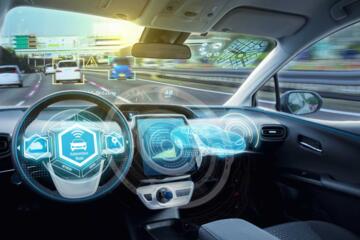
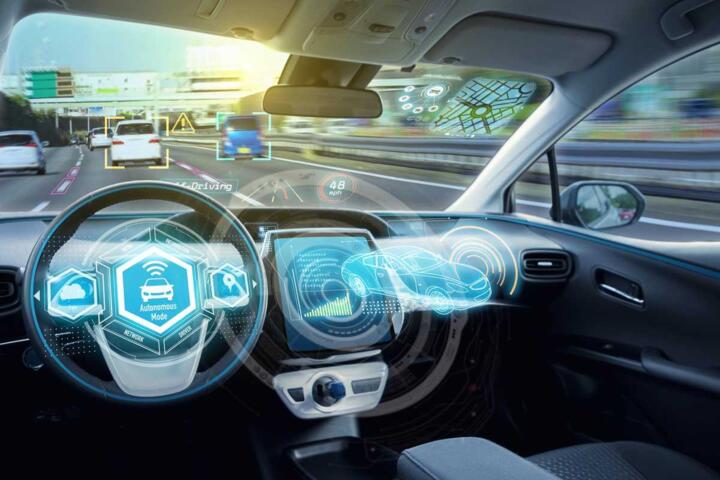
Advanced driver-assistance systems (ADAS) use sensors and software to reduce crashes, but they do not replace driving judgment. Automatic Emergency Braking (AEB) detects a potential collision and applies the brakes when the driver does not respond in time. Intelligent Speed Assistance (ISA) compares the vehicle’s speed to posted limits and can warn the driver or limit acceleration depending on the system and region. Driver Monitoring Systems (DMS) track steering, eye behavior, head position, or other signals to detect inattention and prompt the driver.
These features depend on camera and radar inputs, map data, and calibration that varies by model year. AEB behavior changes with weather, road markings, and the type of target detected (cars, pedestrians, cyclists). ISA accuracy depends on how speed limits are stored and updated for the area you drive. DMS performance depends on lighting, driver fit, and whether the system can keep a stable view of the driver’s face.
I’ll use a practical example: in a low sun angle, a forward camera may struggle with glare, and AEB may switch to a more conservative detection mode. In a different scenario, a temporary construction speed limit may not match the map database, and ISA may warn even when the driver follows the signage. These are not “bugs” so much as sensor limits and data freshness issues.
Where People Get Misled
Many misunderstandings come from treating ADAS as a single capability rather than a set of conditions. AEB is often described as “automatic braking,” yet the system typically needs a specific target type, a minimum closing speed, and a confidence threshold before it intervenes. Some vehicles also require lane context or a clear view of the road ahead, which can fail on glare, dirt, or damaged camera housings.
ISA confusion usually starts with the difference between “speed limit recognition” and “speed limit enforcement.” Some systems display the detected limit and warn when you exceed it, while others can intervene through throttle or speed control. The warning logic can also vary: some vehicles alert at a tolerance band above the limit, others alert only when the driver crosses a threshold for a sustained period. Map-based ISA can lag behind real-world signage changes, which is why a driver may see a limit that does not match the road.
DMS misunderstandings often focus on false alarms or missed detection. A DMS may request attention when the driver looks away briefly, such as checking mirrors or using a phone mount, depending on the system’s timing rules. It may also miss drowsiness if the driver’s face is partially obscured by sunglasses, hats, or poor camera alignment. The system’s goal is not to diagnose medical conditions; it triggers driver prompts based on behavioral signals.
Supporting technologies matter. AEB commonly uses forward radar and/or a camera, plus brake control logic and vehicle dynamics sensors. ISA relies on a speed limit database, a navigation system, and a camera for sign recognition in some implementations. DMS uses an interior camera and sometimes steering wheel torque, lane position, or seat occupancy signals. Calibration and software updates can change thresholds, which is why two cars of the same model year can behave differently after service.
How To Use These Systems
Set Expectations For AEB
Start by checking the vehicle manual for the AEB target types and operating speeds. Many cars offer separate modes for forward collision with vehicles and for pedestrians, and some add cyclist detection. In practice, test AEB only in safe, controlled conditions: drive at low speed in an empty lot and observe whether the system warns or brakes when you simulate a sudden stop ahead. If the car offers a “sensitivity” setting, note the current level and change one variable at a time; changing multiple settings at once makes it hard to interpret behavior.
Keep sensors clean. A forward camera lens and radar cover can accumulate grime that reduces contrast and detection confidence. If your car has a camera behind the windshield, a cracked or heavily tinted windshield can also affect performance. I’ve seen owners report different AEB response after windshield replacement; the service procedure often includes camera calibration, and a missed calibration can shift detection timing by a noticeable margin.
Verify ISA Data And Alerts
Use ISA as a “cross-check,” not a substitute for reading signs. When you enter a new area, watch whether the displayed limit matches roadside signage for the first few kilometers. If the system uses map data, temporary construction limits may not appear immediately; if it uses camera sign recognition, it may miss limits when signs are obscured or glare is high. If the vehicle supports it, compare ISA readings with the navigation speed limit display and note which one changes first.
Adjust warning thresholds carefully. Some systems let you choose between “warning only” and “speed assistance,” and some let you set how early the warning triggers. A mild frustration point: many drivers leave the default setting and then blame the car when the warning tolerance does not match their driving style. A short period of observation helps you learn the tolerance band.
Train Your DMS Habits
DMS works best when the driver’s face stays in view and the cabin lighting stays stable. Avoid placing objects that block the interior camera, such as hanging ornaments near the rear-view mirror. If you wear sunglasses, test whether the system still detects your eyes; some systems rely on eye gaze, while others use head pose and steering behavior. If the car supports it, set seat position so the camera sees your face without extreme angles.
Respond to prompts immediately. DMS alerts often escalate in stages: a visual warning, then an audible chime, then a stronger intervention such as limiting speed or requiring a driver action. The escalation timing varies by manufacturer and software version; on one vehicle I reviewed in 2024, the first prompt arrived after roughly a few seconds of sustained inattention, and the next stage followed after a longer interval. Your car’s timing may differ, so treat the prompts as real-time feedback.
Check Software And Calibration
ADAS behavior can change after software updates and after sensor-related repairs. Look for manufacturer service bulletins that mention camera calibration, radar alignment, or ADAS software updates. If you replace a windshield, repair front-end damage, or mount accessories near the sensors, request a calibration check. A small detail that matters: some systems require a specific procedure with the vehicle on level ground and a defined camera target; skipping that step can shift detection reliability.
Keep a record of changes. Note the date of any update, the version label shown in the infotainment system (some cars display a build number), and any changes in warning frequency. This turns “the car feels different” into a measurable observation you can discuss with a service center.
Educational Case Examples
Scenario 1: AEB in glare and dirty glass. A driver commuting on a sunny morning notices that AEB warnings trigger late when approaching a stopped vehicle. The driver cleans the windshield and removes a sticker near the camera area. After cleaning, the forward camera view improves and the warning timing becomes earlier, suggesting reduced detection confidence before cleaning.
Scenario 2: ISA mismatch during construction. A driver travels through a roadwork zone where the posted limit drops below the usual speed. The ISA display continues to show the older limit for several minutes, then updates after the navigation database catches up. The driver treats ISA as a “heads-up” and follows the roadside signs, avoiding reliance on the displayed limit alone.
AEB, ISA, DMS Checklist
| Feature | What It Tries To Do | Common Limitations | Driver Checks |
|---|---|---|---|
| AEB | Warns and brakes when a collision risk is detected | Glare, dirt, unusual targets, and speed thresholds | Confirm target types, test in safe conditions, keep sensors clean |
| ISA | Warns or assists based on speed limit data | Map lag, sign occlusion, tolerance bands | Compare with signage early in a trip, note warning tolerance |
| DMS | Detects inattention and prompts the driver | Face occlusion, lighting changes, brief glances | Keep camera view clear, respond to prompts, adjust seat position |
Step-by-step, before you trust any ADAS feature: read the manual section for AEB/ISA/DMS, check the sensor locations, verify whether the system is warning-only or can intervene, and test behavior at low speed in a safe area. Then drive a familiar route and compare warnings to what you see outside the car.
Common Mistakes To Avoid
One mistake is assuming AEB will stop the car in every scenario. AEB typically reduces collision severity, but braking distance depends on speed, tire grip, road friction, and the system’s detection confidence. If the target is partially obscured or the vehicle is in a curve with limited line-of-sight, the system may delay or not trigger.
Another mistake is treating ISA warnings as “the law.” ISA is a driver-assistance feature, not a legal speed enforcement device in most jurisdictions. The warning threshold can include tolerance, and the displayed limit can lag behind temporary signage. Drivers who follow ISA exclusively may miss changes during construction or detours.
A third mistake is ignoring DMS prompts because they feel annoying. DMS escalation is designed to bring attention back to the road, and repeated non-response can lead to stronger interventions such as speed limitation. If you repeatedly trigger prompts, adjust seat position, remove obstructions, and check whether sunglasses or hats reduce detection.
Finally, many drivers forget that sensor repairs can change behavior. After windshield replacement, front-end work, or camera/radar-related service, request confirmation that the ADAS calibration was completed. A car that “used to warn earlier” can behave differently after a calibration mismatch, and the driver may misinterpret it as a software fault.
FAQ
How Does AEB Decide To Brake?
AEB uses sensor inputs to estimate collision risk, then triggers warnings and braking when the risk exceeds internal thresholds. Those thresholds depend on target type, relative speed, and detection confidence, so performance varies with lighting and road conditions.
Can ISA Read Temporary Speed Limits?
ISA accuracy depends on how the system obtains speed limit information. Map-based ISA can lag behind temporary changes, while camera-based sign recognition can miss limits when signs are obscured or glare is high.
Why Does Driver Monitoring Warn Me?
DMS prompts when it detects patterns consistent with inattention, such as reduced eye visibility, head pose changes, or steering behavior. Sunglasses, hats, and blocked camera views can increase false prompts.
Do These Systems Work In Bad Weather?
They can degrade in rain, snow, fog, and glare because sensors rely on contrast and signal quality. AEB may detect later or less reliably, ISA may misread signs, and DMS may struggle with lighting changes.
Should I Turn Off ADAS Features?
Use the manufacturer’s guidance and your comfort level. If warnings are frequent due to sensor obstruction or calibration issues, fix the cause first; turning off features removes safety prompts that the system is designed to trigger.
Author's Insight
AEB, ISA, and DMS share a common pattern: they combine sensors with rules and thresholds that work well under certain conditions and degrade under others. Manuals and service documentation matter because they describe target types, operating speeds, and escalation behavior. Calibration and sensor cleanliness often explain more real-world “mysteries” than driver error. When evaluating a car, focus on what the system can detect, what it warns versus intervenes, and how it behaves when the road scene changes.
Key Takeaways
- AEB reduces collision severity by braking when detection confidence and risk thresholds are met, and it varies with weather, targets, and sensor cleanliness.
- ISA compares your speed to speed limit data with tolerance bands, and it can lag behind temporary signage.
- DMS prompts based on attention signals, and sunglasses, cabin obstructions, and lighting can affect detection.
- After windshield replacement or front-end repairs, request ADAS calibration confirmation and track any changes in warning behavior.